
How to Create a Secure Online Form

Think about the last form you filled out online. A sign-up, a survey, maybe a job application. You typed in your name, your email, maybe even your phone number, and hit submit without thinking twice. That's how most people use forms, without a second thought about where the data goes.
But if you're the one building the form, you can't afford to think that way. People are handing you their information, and it's on you to keep it safe.
That's really what how to create a secure online form comes down to. And the good part is, you don't need to be a tech expert to get it right, building a secure online form without coding just takes knowing a handful of things to check for.
Why This Actually Matters
Here's the honest truth: most website owners don't think about form security until something goes wrong. A leaked email list. A spam attack. A customer asking why their data ended up somewhere it shouldn't.
An unsafe form can leak the very information people trusted you with emails, passwords, sometimes worse. And it's not just about losing trust with your visitors. Depending on where you're based, mishandling personal data can also get you into legal trouble. So this isn't some extra step you can skip. It's part of building a form the right way, from day one.
Pick a Form Builder You Can Trust
You don't have to build security into your form yourself. Most decent form builders already handle this behind the scenes, letting you create encrypted online forms without touching a single setting. Your job is just to pick one that actually does it properly.
If you're comparing tools, online forms with SSL encryption should be the baseline, not a bonus feature. Before you settle on a tool, check for these:
- SSL encryption, so data can't be intercepted while it's being sent
- Compliance with privacy laws like GDPR
- Control over who on your team can view submitted responses
- Spam protection, so bots don't spam your inbox with fake entries
Most well-known builders already tick these boxes. It's still worth double-checking before you commit, though, not every tool is built the same. Even a free online form generator tool can offer solid security, so cost alone shouldn't be the deciding factor.
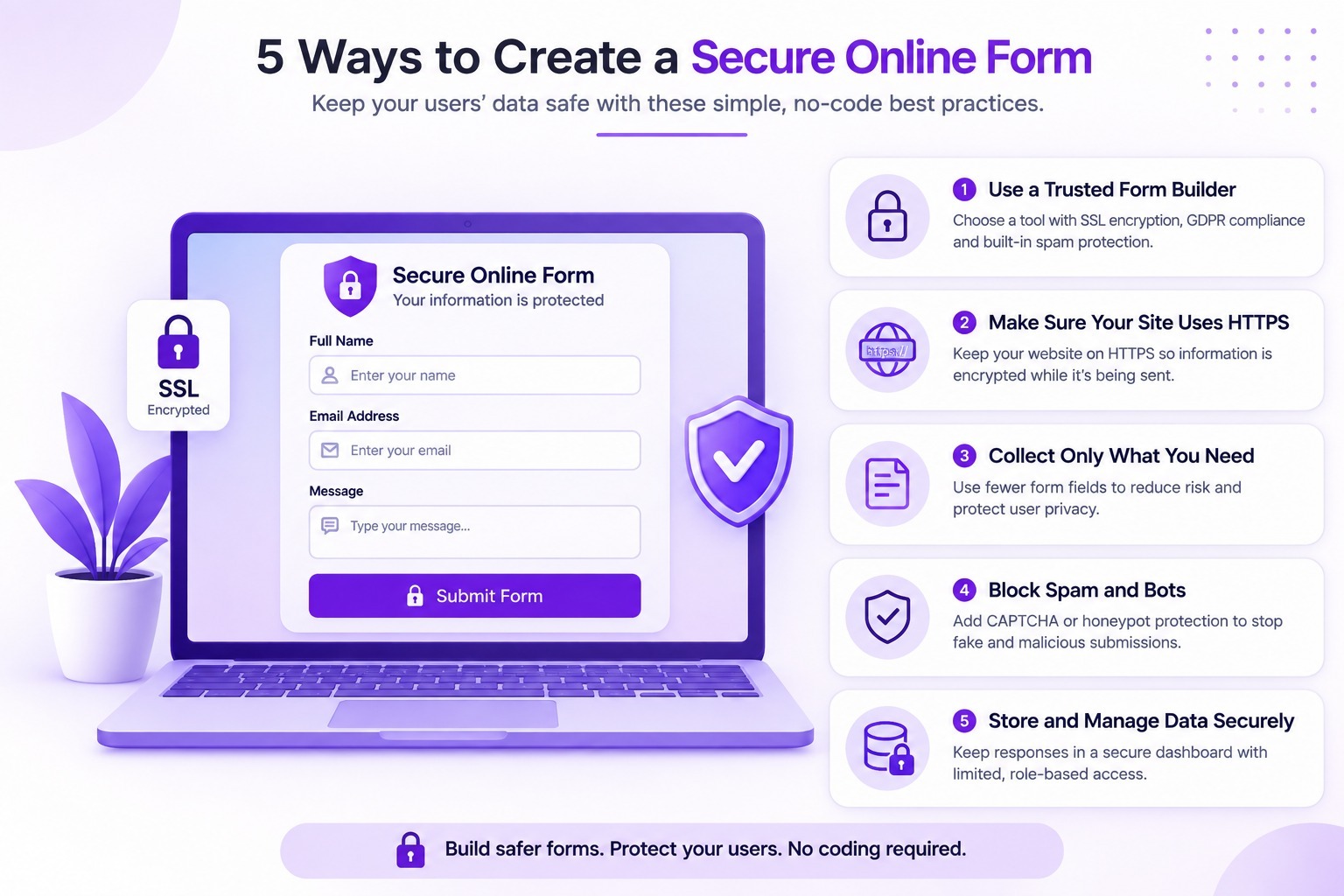
Make Sure Your Site Uses HTTPS
If the form lives on your own website, take a second and look at your address bar. Does it say HTTPS, with a little padlock next to it? Or does it just say HTTP?
That padlock isn't a decoration. It means the connection between your visitor's browser and your server is encrypted. If your site is still running on plain HTTP, fix that before you publish anything that collects personal data. Most hosting companies give out free SSL certificates now, so it's usually just a quick setting to turn on. If you're setting up a form for the first time, our guide on How to Create Your First Form covers the basics from start to finish.
Don't Ask for More Than You Need
This one's simple, but people forget it constantly: the less data you collect, the less you're responsible for protecting. If you don't genuinely need someone's home address or birthday, leave that field out.
A shorter form isn't just safer. It's also easier for people to actually finish. Nobody enjoys typing out a pile of personal details for a form that clearly didn't need all of it. Conditional logic forms can help here too, since they only show extra fields when they're actually relevant to that person.
Block Spam and Bots
Bots don't care about your form's purpose. They'll fill it in with junk just because it's there. Beyond being annoying, this can also expose weak spots in your form that a real attacker could exploit later.
A basic CAPTCHA, or a hidden "honeypot" field that only bots ever fill in, takes care of most of this. Many form builders already include something like this by default, so you may not need to set it up at all. This matters even more for a form builder for agencies managing forms across several client accounts, where one weak form can expose more than one business.
Handle the Data Carefully After Submission
Once someone hits submit, where does their information actually go?
If your form is just emailing the answers straight to your inbox, that's worth reconsidering, regular email isn't always encrypted.
A better approach is using a form builder that stores responses in a secure dashboard, where only the people who need access actually have it. If you're collecting sensitive data, it's worth checking that your tool meets the appropriate security and compliance standards.
Wrapping Up
None of this requires a technical background. Pick a form builder that already takes security seriously, turn on HTTPS, keep your forms short, add basic spam protection, and be thoughtful about where the data ends up. Do those five things, and your forms will already be safer than most sites out there.
If you'd rather not piece all of this together yourself, Floov is worth a look. It's built with encryption, secure response storage, and role-based access already in place, so you're not left guessing whether your forms are actually protected. Reach out to the team any time if you want help setting one up the right way.
Frequently Asked Questions
Common questions about the topics covered in this article.
A secure online form uses multiple layers of protection. These should include HTTPS to protect data during submission, secure storage, appropriate access controls, spam and bot protection, and the collection of only the information that is genuinely needed.
HTTPS is essential, but it does not make a form completely secure by itself. It encrypts data while it travels between the visitor's browser and the website. Security also depends on where submitted information is stored, who can access it, and how it is retained and managed.
Form responses should be kept in a secure system with appropriate encryption, access controls, backups, and retention policies. For sensitive information, avoid including complete response data in ordinary email notifications when it can be reviewed through a protected dashboard instead.
An online form should avoid collecting information that is not necessary for its purpose. Sensitive personal information should only be requested when there is a clear need and suitable protection is in place. Any collected data should be handled according to the privacy and compliance requirements that apply to your organization.
CAPTCHA helps distinguish legitimate visitors from automated bots, reducing spam and abusive submissions. It does not stop every automated attack, so it can be combined with measures such as rate limiting, honeypot fields, and server-side validation.