
Create and edit forms
with AI.
Describe what you need. Floov AI drafts your form and helps you refine it through conversation, right inside the visual builder.
20 free AI credits · No credit card required
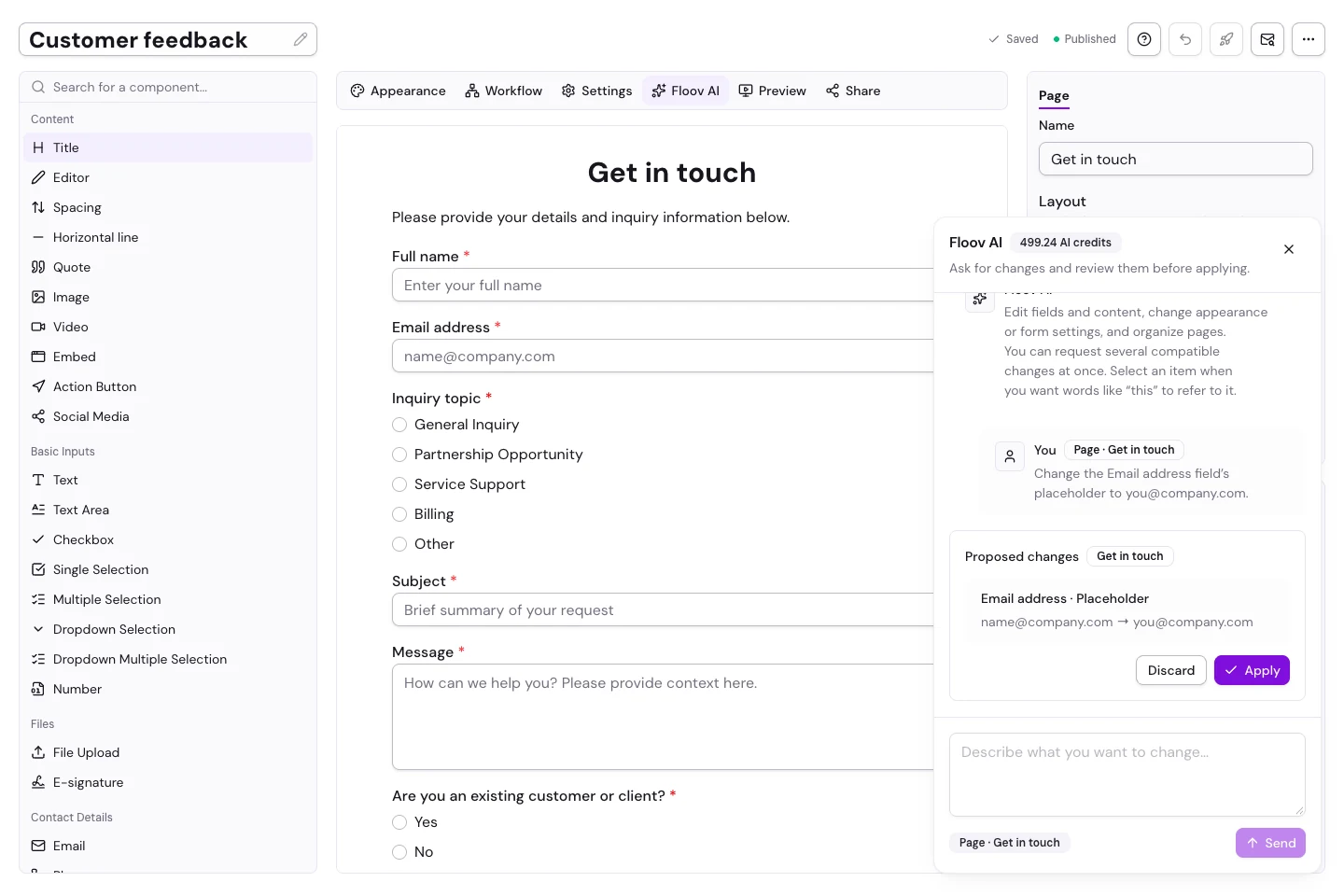
Describe. Refine. Publish.
From your first idea to a form ready to share.
-
Describe your form
Tell Floov AI who it’s for and what you need to collect.
-
Review and refine
Check the draft, then adjust it with AI or the visual editor.
-
Publish when you’re ready
Share a link or embed the finished form on your website.
Skip the blank canvas.
Turn your brief into a draft with questions, answer options, and pages—from client intake forms to feedback surveys.
Try: “Create a client onboarding form with contact details, project goals, budget, and a thank-you page.”
Read the AI creation guide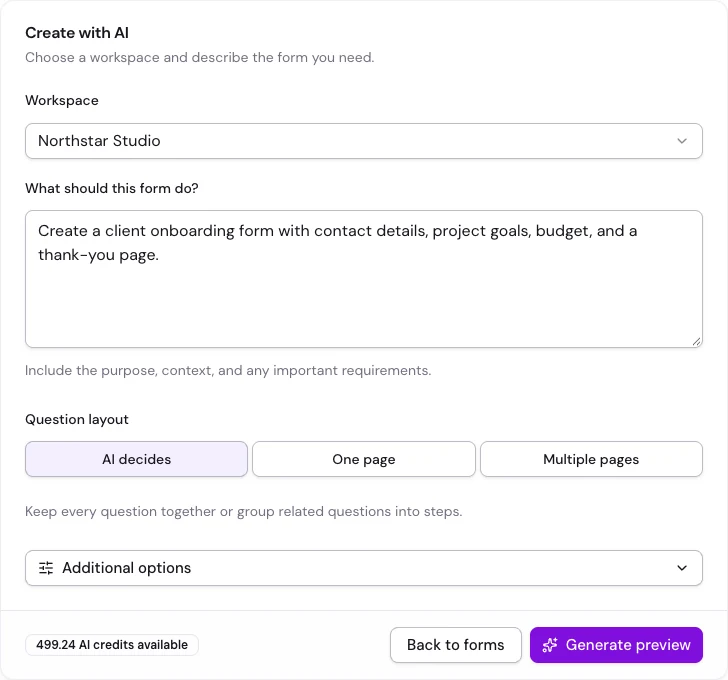
Edit your form through conversation.
Ask Floov AI to add questions, update fields, or organize pages in any form. Review the proposal and choose Apply or Discard. Applied changes save to your draft; your live form stays unchanged until you publish again.
See what AI can edit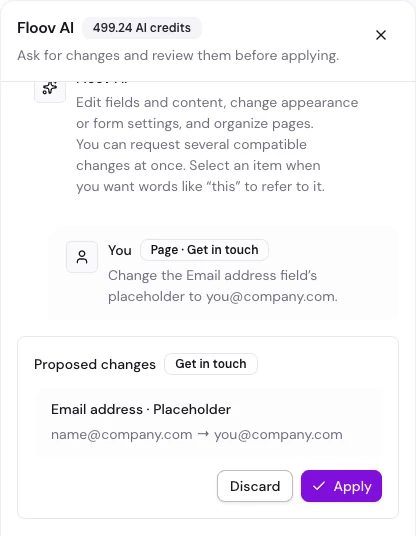
Speak your audience’s language.
Translate questions, answer options, and endings together, including navigation labels and the form language.
Try: “Translate this form into Romanian.”
Explore AI translationAdjust the design and settings.
Change colors, fonts, columns, and form settings with AI. Use the visual editor for fine adjustments and workflow logic.
Try: “Use a purple theme and turn on the progress bar.”
Explore AI design changesAI credits, explained.
Use the same credit balance to create and edit forms. Credit usage varies by request.
Free
20 credits
Included once per account.
Pro
500 credits
Each calendar month while Pro is active. No rollover.
Optional top-ups
€10 / 500 credits
VAT included. Active Pro required to buy.
Purchased credits expire after 12 months. AI credits don’t unlock Pro features.
Questions about Floov AI
What it can do, how credits work, and what stays in your control.
An AI form builder turns a written description into a form you can edit. Floov AI creates a draft with pages, questions, and answer options, then lets you refine it in the visual editor or ask for changes in a conversation.
Yes. Free accounts include 20 lifetime AI credits, with no credit card required. Pro includes 500 credits per calendar month. AI usage varies by request; credits do not represent a fixed number of forms or edits.
Yes. Open a form in the editor and choose Floov AI. Ask it to add or remove fields, update labels and options, organize pages, or change supported appearance and form settings. You can use AI on forms started from scratch, from a template, or with AI.
Yes. A request such as “Translate this form into Romanian” can translate editable copy across pages and endings, update the form language, and translate custom navigation labels. Review the proposal and check the final wording before publishing. Very large requests may need to be reduced.
No. Review a generated form before creating it. For edits, review the proposed changes and choose Apply or Discard. Applied edits save to your draft; publishing remains a separate action.
No. AI credits pay for AI usage; your workspace owner’s plan determines which features are available. File uploads, E-signatures, and other Pro features still require Pro. Active Pro is also required to buy credit top-ups.
AI credits belong to the workspace owner. Creating and editing forms use that same balance, including requests made by authorized collaborators.
You keep Pro until the end of your paid period. After that, remaining purchased credits can still be used with Free-plan features until they expire, 12 months after purchase. Included monthly credits do not roll over, and active Pro is required to buy more credits.
Form creation sends your brief and chosen preferences to Google’s Gemini API. Editing also sends supported form content and settings plus recent conversation context. Respondent submissions and integration credentials are not included. Do not put confidential information or sensitive personal data in your requests.