
Move Every Response Into the Tools You Use
Connect Floov to your spreadsheets, databases, team channels, analytics, and automation workflows. Keep every handoff moving without copying responses by hand.
- Native Connections
- Secure OAuth
- No Per-Response Charges
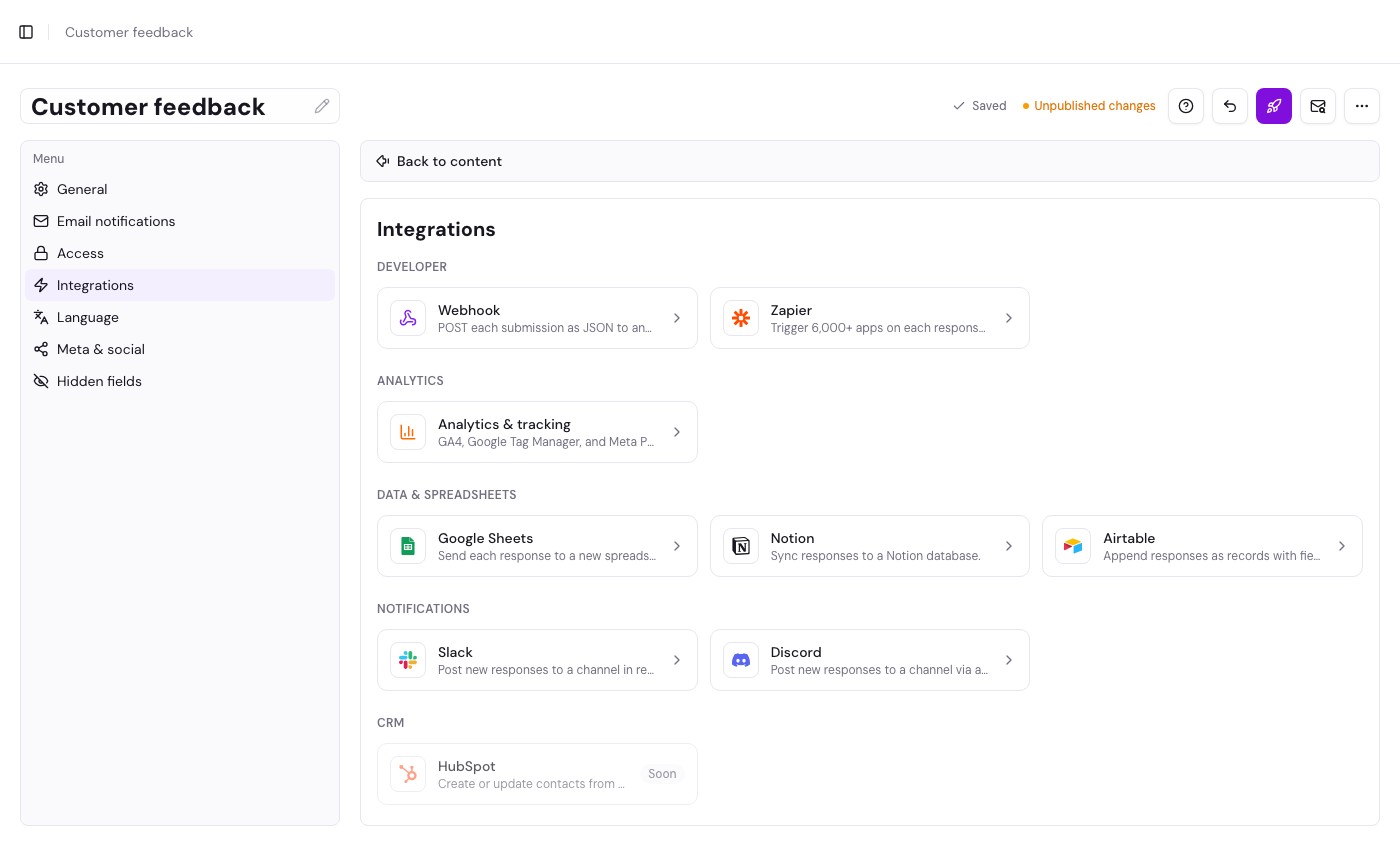
Connect Your Response Workflow
Choose a direct connection, automate with Zapier or Make, or build your own workflow with webhooks.
Data & Spreadsheets
Keep every submission organized in the tools your team already uses.
Google Sheets
Add every response to a spreadsheet row for sharing, review, or reporting.
Airtable
Append responses as records and map form answers to the right fields.
Setup GuideNotion
Sync response data into a Notion database your team already uses.
Setup GuideAutomation & Analytics
Build multi-step workflows, connect your own systems, and measure conversions.

Zapier
Trigger workflows across thousands of apps when a new response arrives.
Setup GuideWebhooks
POST each completed submission as JSON to any secure HTTPS endpoint.
Setup Guide
Make
Start a Make scenario with each completed submission and map answers into your next action.
Setup GuideAnalytics & Tracking
Add GA4, Google Tag Manager, or Meta Pixel tracking to published forms.
Setup GuideNotifications
Bring new responses into the channels where your team is already working.
CRM
Send form inquiries directly to your customer relationship tools.
Email Marketing
Turn completed forms into contacts for your email audience.
From Submission to Next Step, Automatically
Set up the destination once, keep control inside the form editor, and give your team a cleaner response workflow.
-
Connect Once
Authorize supported accounts at the workspace level so the connection is ready for the forms that need it.
-
Configure the Form
Choose the destination, map fields where needed, and control which response data Floov sends.
-
Deliver Automatically
Publish the form and let each completed response reach the right tool without a manual handoff.
Frequently Asked Questions
Answers about plans, connections, delivery, and custom workflows.
Floov supports Google Sheets, Airtable, Notion, Slack, Discord, Zapier, secure webhooks, Google Analytics 4, Google Tag Manager, and Meta Pixel.
Yes. Webhooks, Zapier, Google Sheets, Airtable, Notion, Slack, and Discord are available on the Free plan with no per-response charges. Analytics and tracking with GA4, Google Tag Manager, or Meta Pixel is a Pro feature.
Yes. Google Sheets, Airtable, Notion, and Slack connections are shared securely at the workspace level, while each form chooses its own spreadsheet, database, table, or channel. Webhook and Discord destinations are configured directly on each form. Publish the form after changing its delivery settings.
Integrations receive completed submissions only. Partial responses saved through auto-save remain in Floov and are not sent to connected tools.
The response remains safely stored in Floov because integrations run in the background after submission. The form's Deliveries page shows delivery status and any error for the last 30 days.
Yes. Use a secure webhook to send each completed submission as JSON to your own public HTTPS endpoint, or use Zapier to connect Floov with thousands of other apps. Webhook-based automation tools such as Make and n8n can also receive Floov submissions.