
Create Forms with AI
Describe the form you need, and Floov AI creates a preview with questions, pages, and a thank-you message. You can customize it in the editor before publishing.
Create Your Form
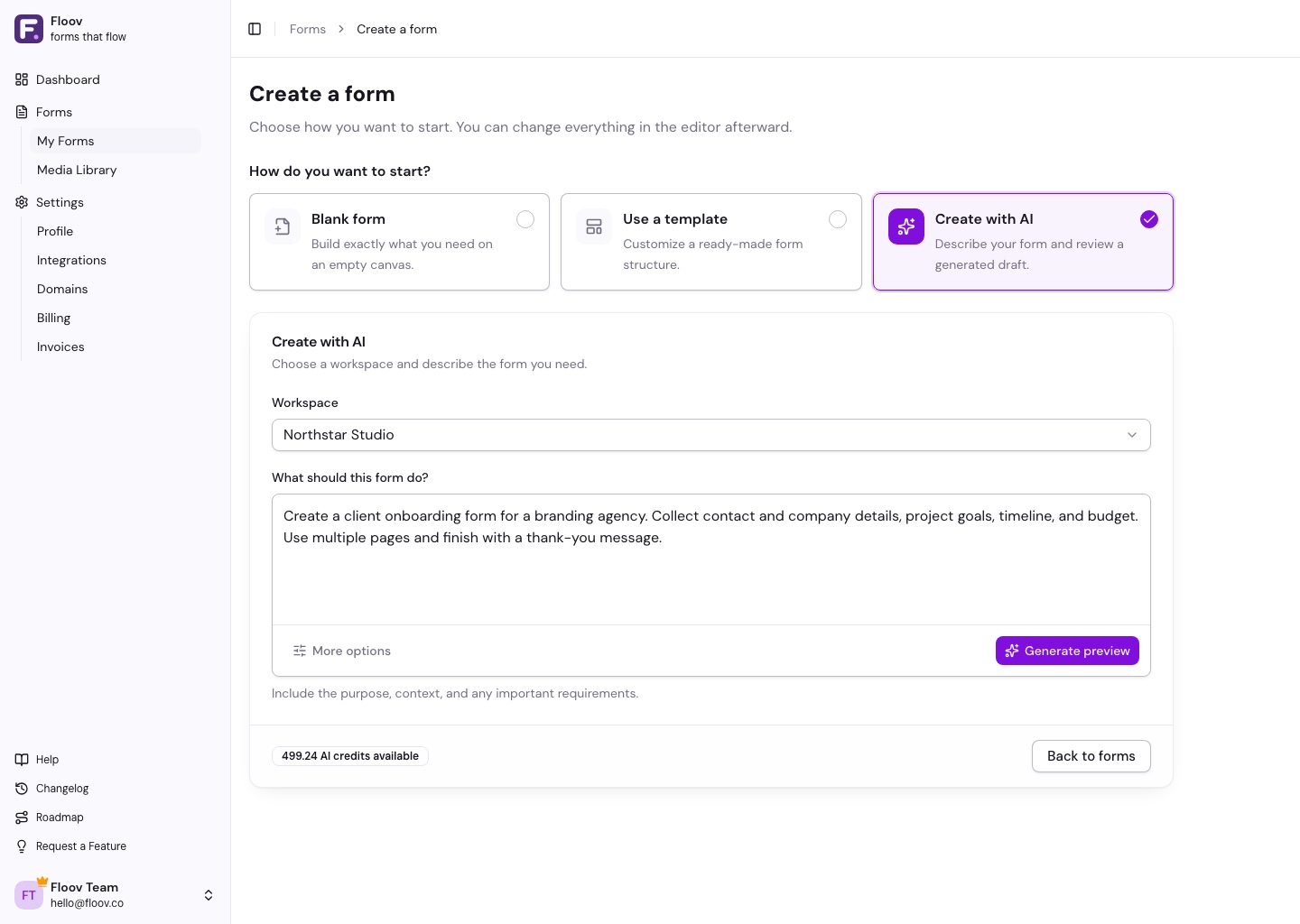
- Go to Forms, choose Create form, then Create with AI.
- Choose a workspace and describe your form. For example: “Create a customer feedback form with a satisfaction rating and space for comments.”
- Choose Generate preview and try the result.
- Choose Create form to save it to your workspace. Make any final edits, then Publish when ready.
More options lets you choose a language, tone, length, or layout. To try a different idea, choose Edit inputs and generate another preview.
What You Can Create
Contact forms, surveys, registrations, applications, and more. AI can add questions, answer choices, text, and image placeholders. File uploads and e-signatures are available on Pro.
AI chooses the start or submit button alignment to suit the page layout. You can request an alignment in your brief or adjust it in the editor.
Each generation uses AI credits. See Edit Forms with AI for changes after creation, or our Privacy Policy for AI data handling.