
General Settings
Open Settings > General in the editor to change the page title, navigation, and respondent preferences. Publish changes to make them live.
Title and Navigation
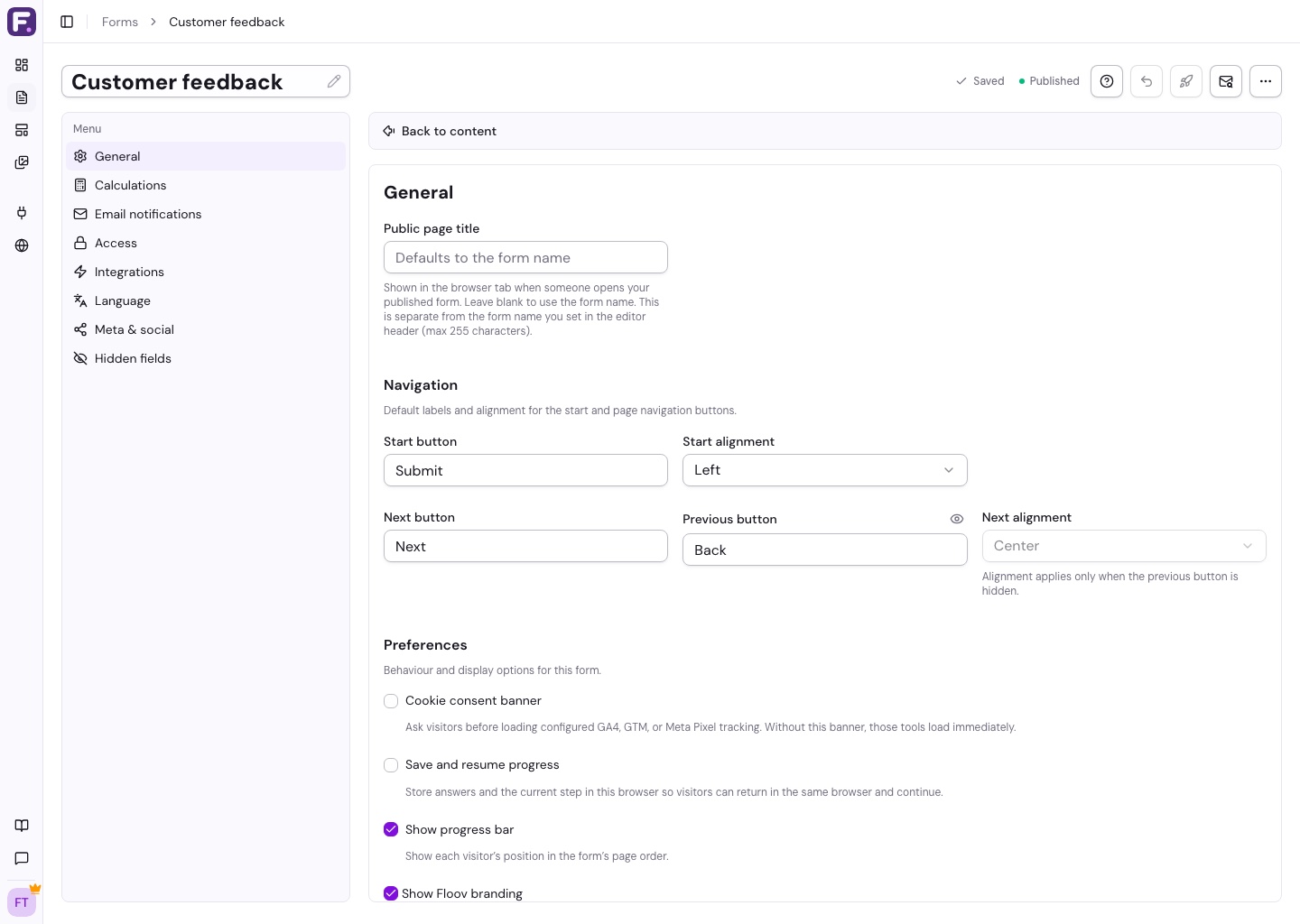
Public page title is the browser-tab title. It is separate from the internal form name.
Customize the Start, Next, and Back labels and alignment. Hide Back if respondents should only move forward. See Multi-Page Forms for page navigation.
Respondent Preferences
- Progress bar: shows progress through content pages. Conditional jumps make it approximate.
- Save and resume progress (Pro): restores answers in the same browser. Clearing site data removes them; uploaded files and signatures must be provided again after a reload.
- Show Floov branding: turn this off on Pro to remove the ending-page Floov link.
- Cookie consent banner: asks before loading your configured analytics and marketing tags. When off, those tags load immediately. You are responsible for the notices and consent your audience requires.
See Analytics & Tracking for consent behavior. Editor draft saving is automatic and separate from respondent save and resume.
Prevent Duplicate Responses
One response per device (Pro) blocks another submission in the same browser. Another browser, private browsing, or cleared site data can bypass it.
One response per value (Pro) blocks an answer already used in a completed response, such as an email address. Partial responses do not reserve the value.
See Access & Protection for passwords and closure controls.