
Reports Overview
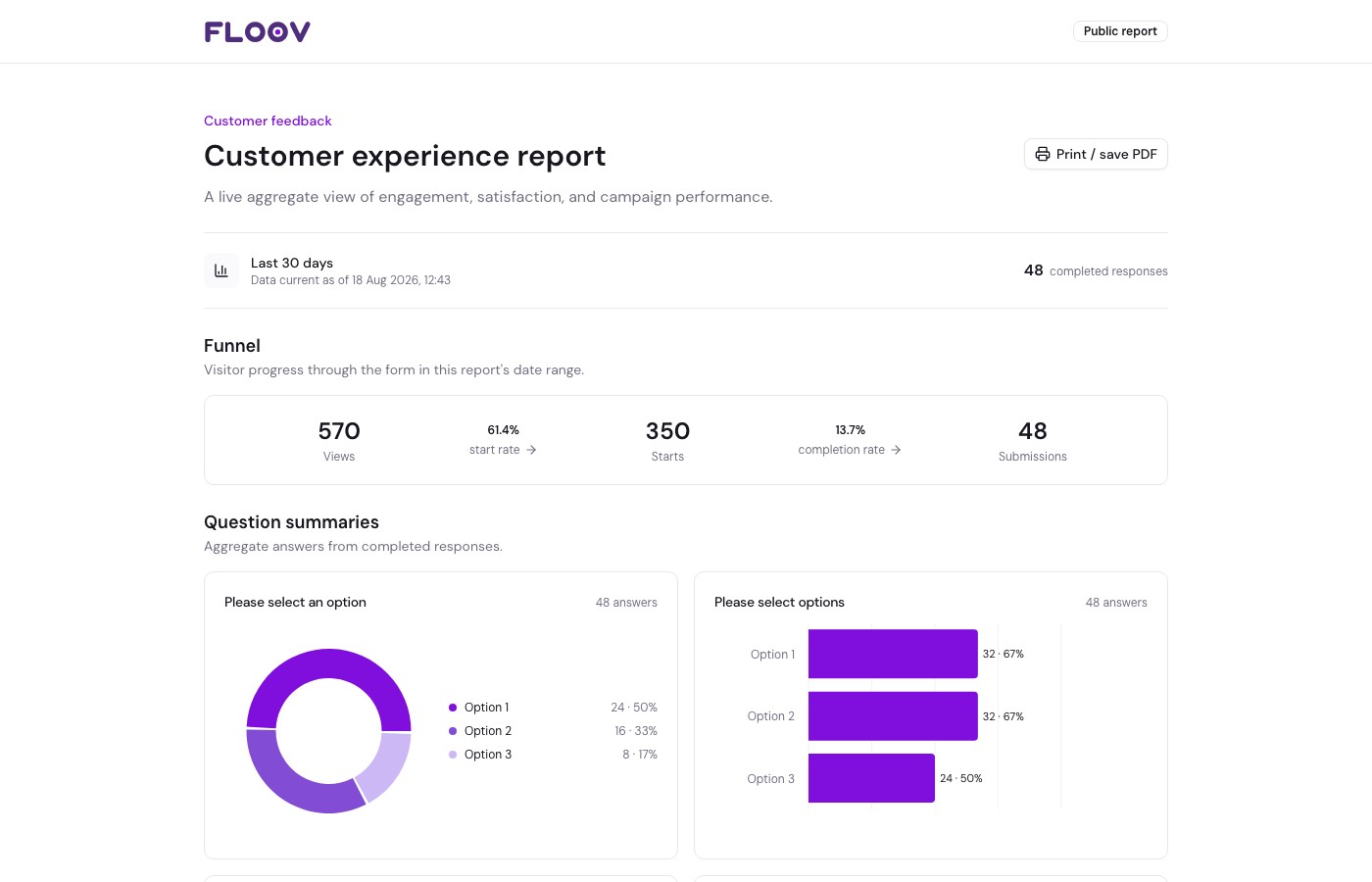
Reports turn form responses into a live summary you can share with clients or teammates. Viewers see charts and totals without needing access to your workspace.
Create a Report
Open your form's Reports page. Create a report, choose its questions and sections, then preview it. It stays private until you choose Make public.
What You Can Share
Reports can summarize choices, ratings, numbers, and rankings. Pro adds the response funnel, traffic breakdowns, and selected campaign attribution.
Public reports do not show individual responses, written answers, contact details, or files. Add hidden fields to attribution only when their values are appropriate to share; small groups receive extra privacy protection.
Report Language
Report labels, previews, and password screens use the form owner’s saved account language. Changing that account language updates report labels the next time the report is opened. The form language and the viewer’s account language do not affect it. Report titles, descriptions, question text, and answers stay as written.
Plans and Access
Free includes one all-time report per form. Pro includes up to 10, more sections, flexible dates, password protection, expiration, and branding removal.
Owners, admins, and editors can manage reports. If Pro ends, paid display options pause, but existing passwords and expiry restrictions remain enforced.
Continue with Creating Reports, Sections & Charts, or Publishing & Sharing.