
Insights
Insights shows how people use your form and summarizes their answers. Open the form editor's menu and choose Insights.
Understand Performance
- Views: form visits counted as response attempts.
- Starts: attempts where someone begins answering.
- Submissions: completed responses.
- Completion rate: the percentage of starts that become submissions.
- Median time: the typical time from starting to submitting.
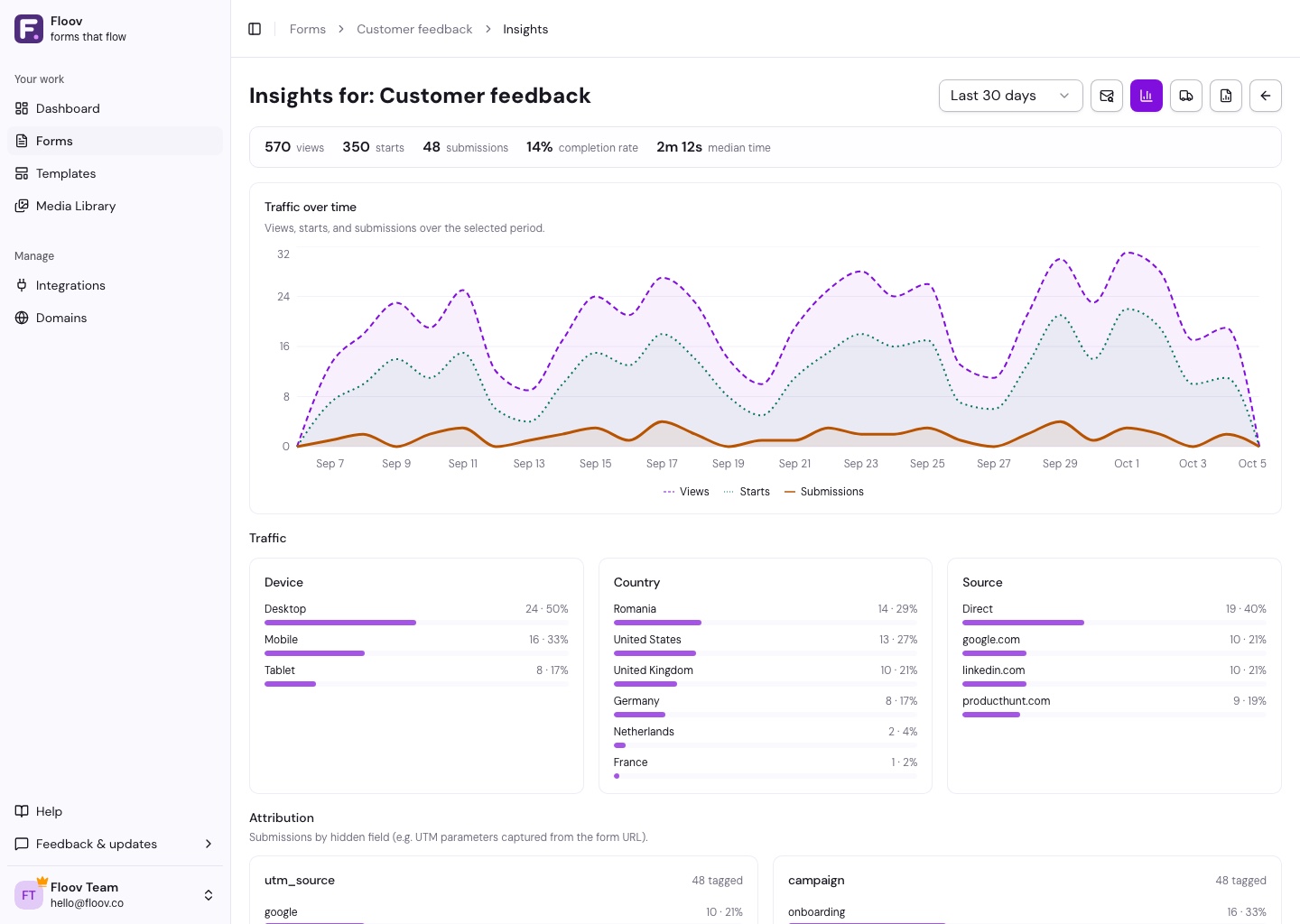
Choose a date range to compare views, starts, and submissions over time. For a custom range, select both a start and end date. Use the chart legend, colors, and line styles to identify each series. Question summaries show popular choices, ratings, and numeric results. Read individual written answers in Responses.
If an Insights section cannot load, use its Retry action to load it again.
Explore More with Pro
Advanced Insights adds page reach, saved partial responses, and device, country, and source breakdowns for views and starts. Use these to spot pages where people stop progressing. A partial response shows the last saved page, which may differ from where someone left.
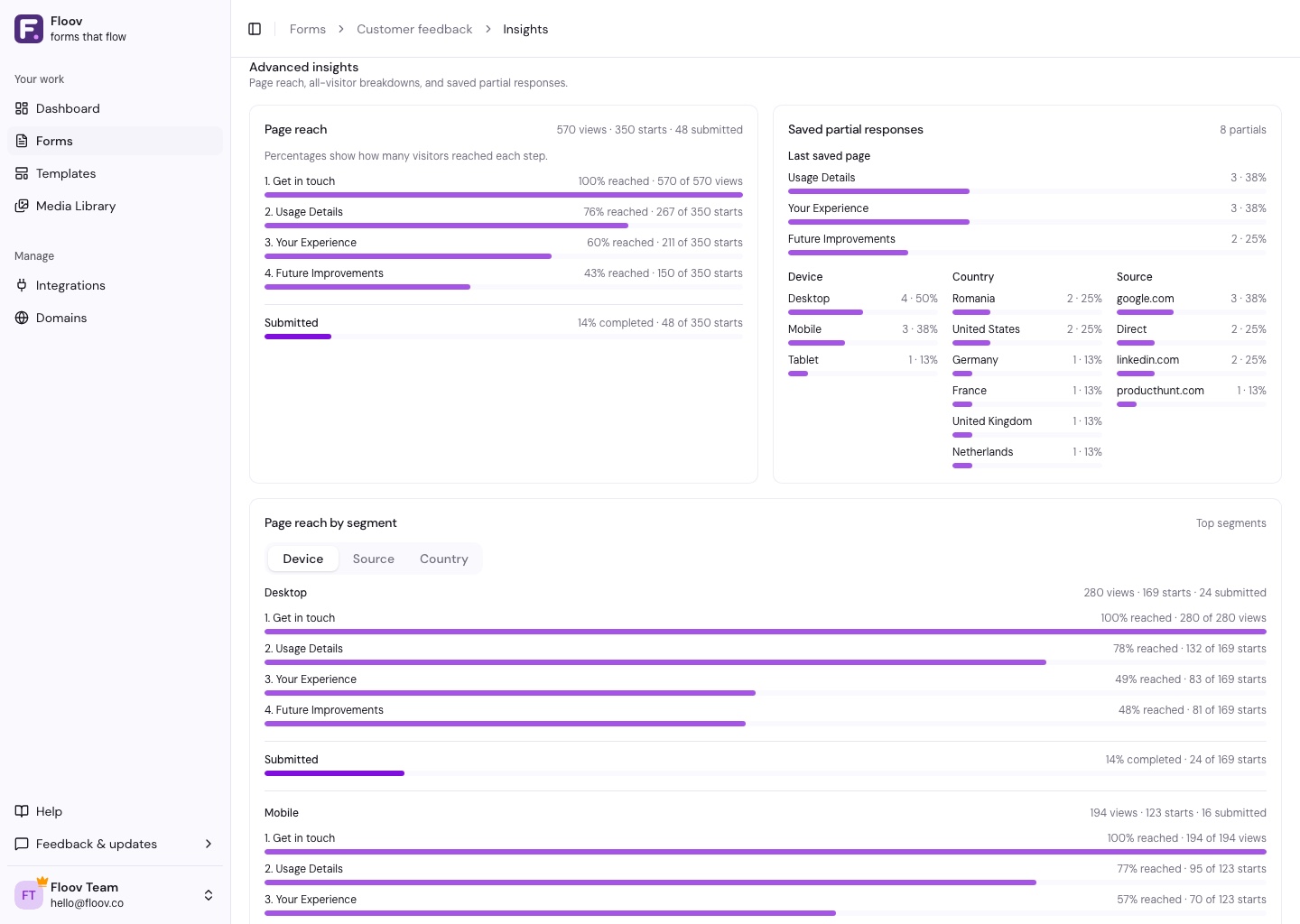
Visitor campaign analytics covers the latest 90 days. Completed-response attribution from hidden fields remains available for the selected response date range.
Test Your Form
Visits by signed-in owners, admins, and editors are excluded from visitor metrics. Use a private window to test visitor tracking. Completed test submissions still count; delete them if you do not want them in the results.
Insights works without setup. Use Analytics & Tracking to send events to your own marketing tools.