
Report Sections and Charts
Sections and content controls what viewers see and in what order. Active sections appear under In report; disabled or empty sections stay under Available sections.
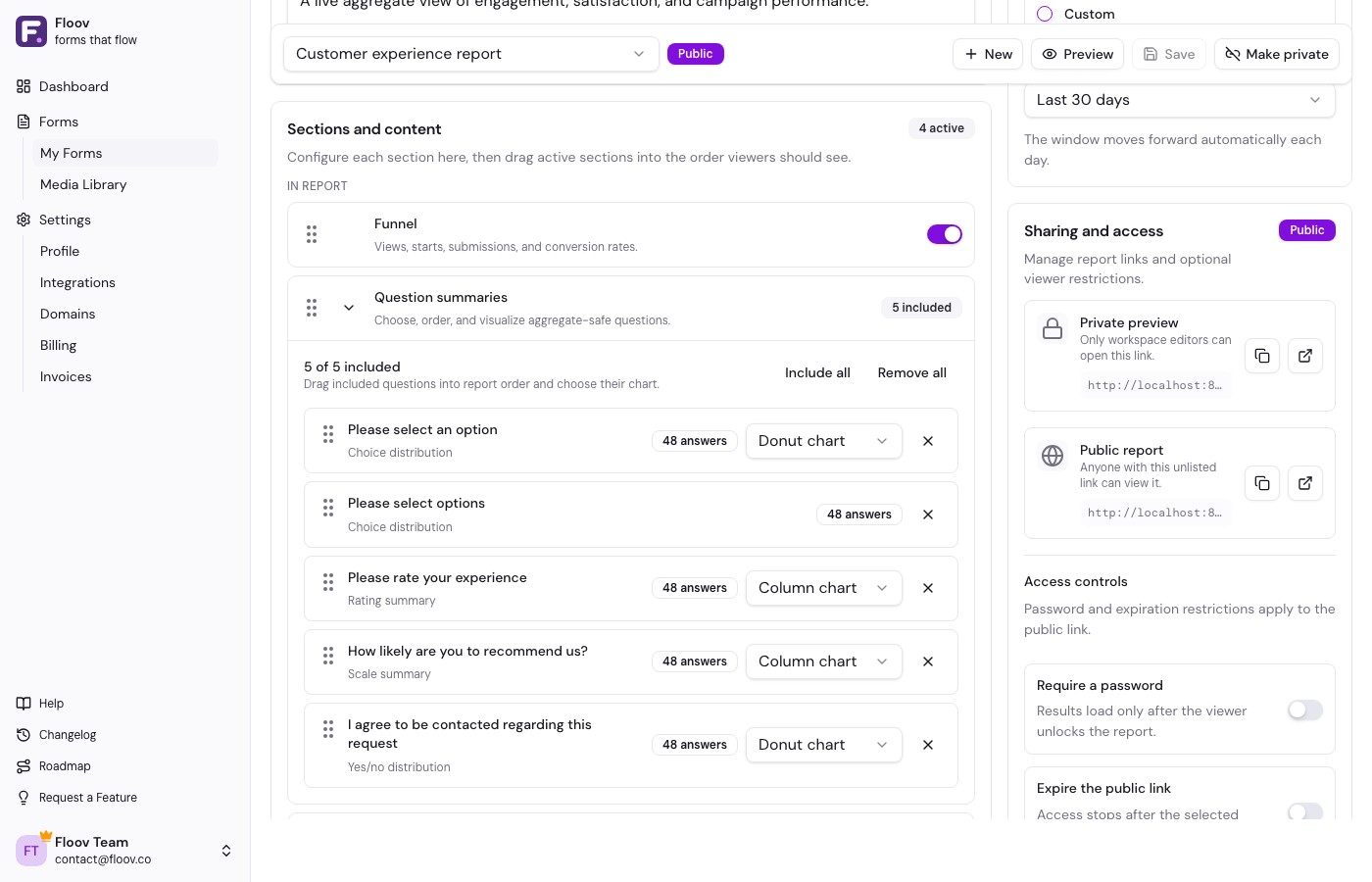
Funnel
Funnel shows views, starts, completed submissions, start rate, and completion rate for the report's date range. It helps viewers understand where respondents stop before completion. Funnel is available on Pro.
Question summaries
Expand Question summaries to add, remove, search, and reorder aggregate-safe questions. Included questions show their answer count and, where supported, a visualization selector.
- Single-choice and yes/no questions can use bar or donut charts.
- Multiple-choice questions use bars because respondents can choose more than one answer.
- Rating and opinion-scale questions can use column or bar charts.
- Number questions show average and median.
- Ranking questions show an ordered average-ranking list.
Choice charts show the six most common values and combine the remainder into Other. Fixed rating, scale, and yes/no options remain complete. Question selection and chart choice are available on Free.
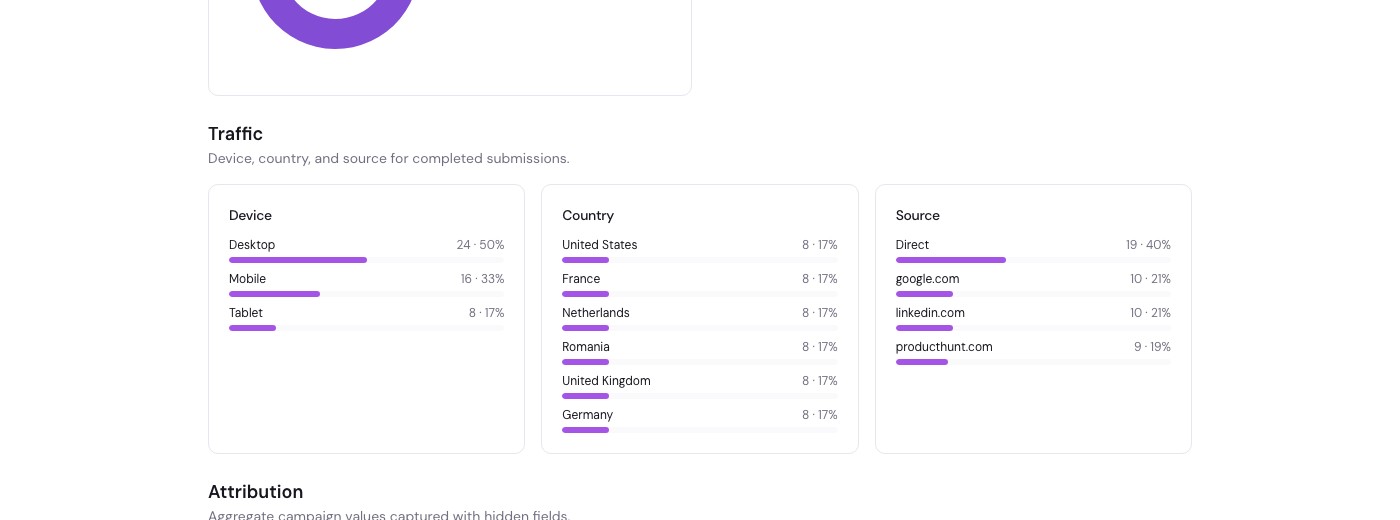
Traffic
Traffic groups completed submissions by device, country, and source. It describes the people who completed the form, while the Funnel section shows the broader view-to-submission journey. Traffic is available on Pro.
Attribution
Attribution turns selected hidden fields into aggregate campaign summaries. Expand the section, add safe fields such as utm_source or utm_campaign, and give them clear labels for public viewers.
Hidden fields can contain internal identifiers or personal data, so select only values that are appropriate to publish. Attribution remains hidden until at least five responses contain the field, and small value groups are combined for privacy. Attribution is available on Pro.
Ordering sections and questions
On Pro, drag active sections into the order viewers should see. Within Question summaries, drag included questions into their own order. The public report and printed PDF follow these choices.
Related
See creating and configuring reports, publishing and sharing, or hidden fields for campaign capture.