
Billing & Plans
Open your account menu at the bottom of the sidebar and choose Billing to manage your plan, payment details, and AI credits. If your account does not have Pro access, you can also choose Upgrade to Pro above Help to open Billing.
Free and Pro
Free includes form building, unlimited responses under Fair Use, sharing, calculations, answer scores, integrations such as Mailchimp, and exports.
Pro costs €24/month or €240/year, including VAT. It adds:
- Conditional logic, field visibility, and save and resume.
- File uploads, e-signatures, and the Media Library.
- Advanced Insights and more reports.
- Team collaboration, custom domains, and branding removal.
- More AI credits and optional credit packs.
See Pricing for the complete comparison.
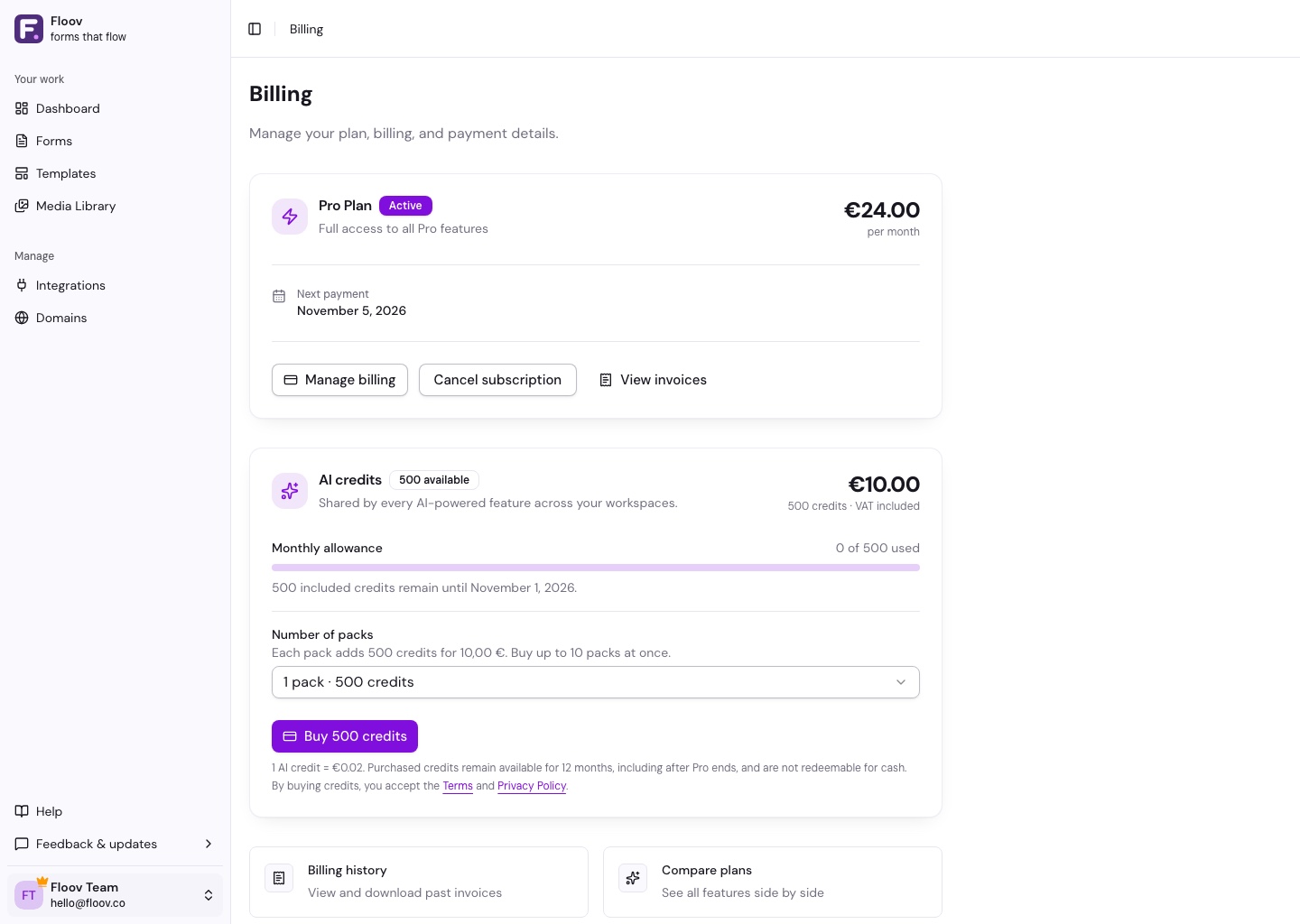
Subscribe or Cancel
Choose Monthly or Yearly, then Subscribe now and complete checkout. Pro usually activates within a few seconds.
Choose Cancel subscription to stop renewal. You keep Pro until the paid period ends. Before then, Reactivate subscription resumes renewal; afterward, use Subscribe again.
Payments and Invoices
Manage billing opens your payment method, billing address, and payment history.
Find subscription and AI-credit invoices under Invoices in your account menu. If an invoice fails or a refund needs attention, choose Contact support.
For cancellation and withdrawal terms, see the Terms of Service.
The HubSpot contact integration is available on every Floov plan, including Free.