
Meta & Social Sharing
Meta settings control how your form looks when its URL is pasted into social platforms and chat apps. These are Pro features.
Where to find it
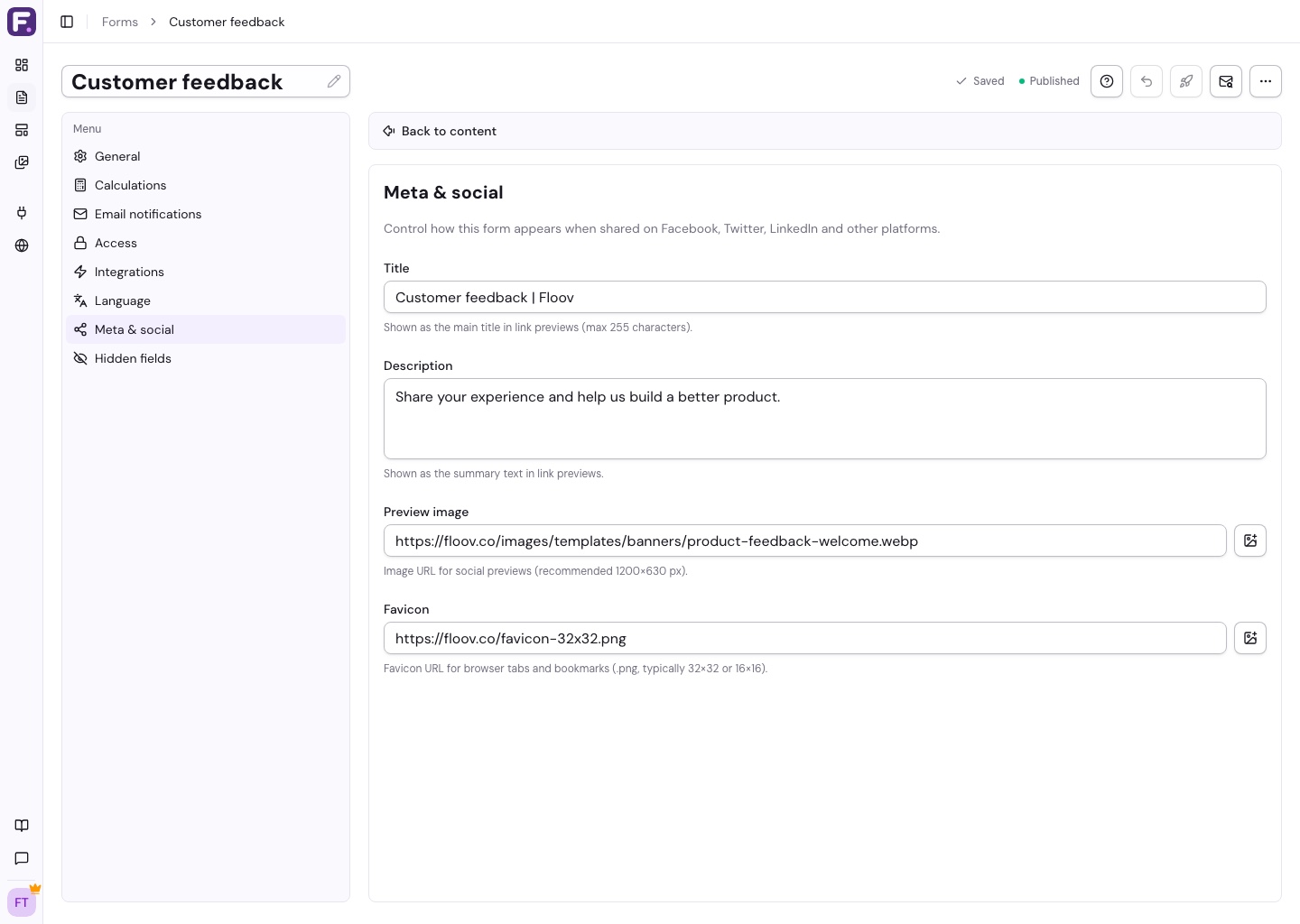
In the editor toolbar, click Settings and open Meta & social.
Title
The title shown in social previews (Facebook, X/Twitter, LinkedIn, Slack). Maximum 255 characters. If left blank, Floov falls back to the Public page title from General settings.
Description
A short description that sits under the title in link previews. Keep it concrete so people know what they're clicking into.
Preview image
The image displayed in the social card when your form URL is shared.
- Recommended size: 1200 x 630px
- Upload to your media library and pick it, or paste a direct URL
- A clean, branded graphic works better than a screenshot
Favicon
The small icon in the browser tab when someone has the form open.
- Use a .png file, typically 32x32 or 16x16
- Pick from the media library or paste a URL
What gets rendered
Floov writes these values into OpenGraph and Twitter card tags on the published form. When someone shares the URL, the receiving platform reads those tags and builds the preview. Without them, you're at the mercy of whatever default the platform picks. Floov asks search engines not to index published forms; this does not affect opening or sharing the form URL.
Related
Grab your form URL from Publishing forms, manage assets in the media library, or set the default title in General settings.