
Workspaces Overview
A workspace holds your forms and the people you share them with. Every form lives inside exactly one workspace, each workspace supports up to 25 total members, and each account can belong to up to 25 workspaces in total.
What is a workspace?
Think of a workspace as a shared folder for forms. With the owner’s active Pro subscription, members can see and work with the forms inside according to their role. You can keep one personal workspace or create separate spaces for clients, teams, and projects.
Your first workspace
When you sign up, Floov creates a default workspace named after your first name (for example, Alex’s workspace) and assigns you as its owner. If no name is available, it is called My workspace.
Creating and switching workspaces
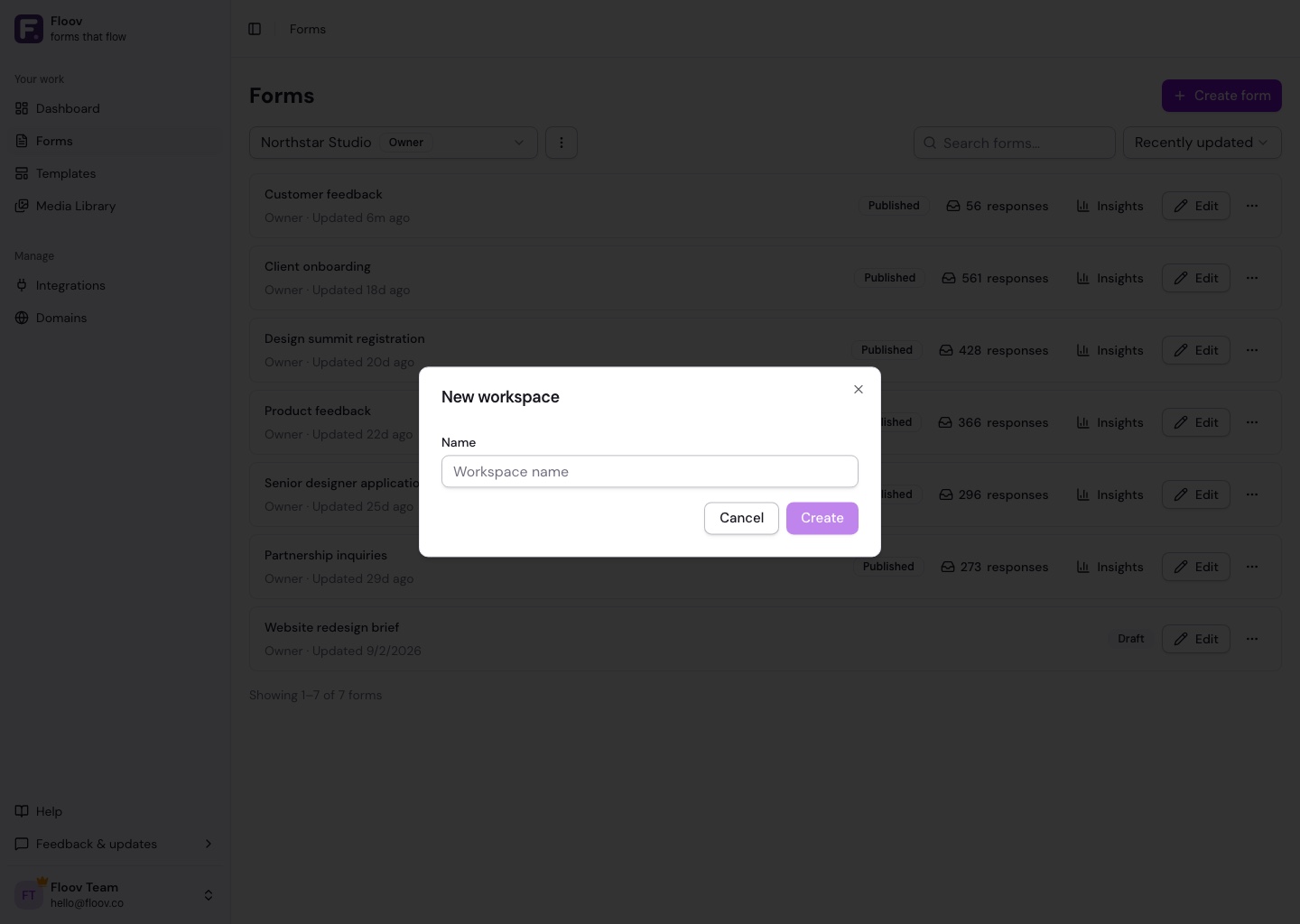
Open Forms and use the workspace selector at the top of the page. Choose New workspace to create one, or select an existing workspace to filter the forms list. Workspace names can be up to 255 characters.
Suspended collaboration
If a workspace owner’s Pro subscription ends, non-owner member access pauses and the workspace appears as suspended for those members. Memberships and roles remain in place, and access returns automatically when the owner resumes Pro. Members may still leave a suspended workspace.
Renaming a workspace
Select the workspace, open the options menu beside the selector, and choose Edit workspace. Only the owner can rename it.
Deleting or leaving
An owner can delete a workspace only when they own at least one other workspace. Deletion permanently removes every form and response inside it. Admins, editors, and viewers can leave a workspace from the same options menu.
Related
Read about managing members or see the complete roles and permissions table.