
Lead Generation Form Examples for Different Industries

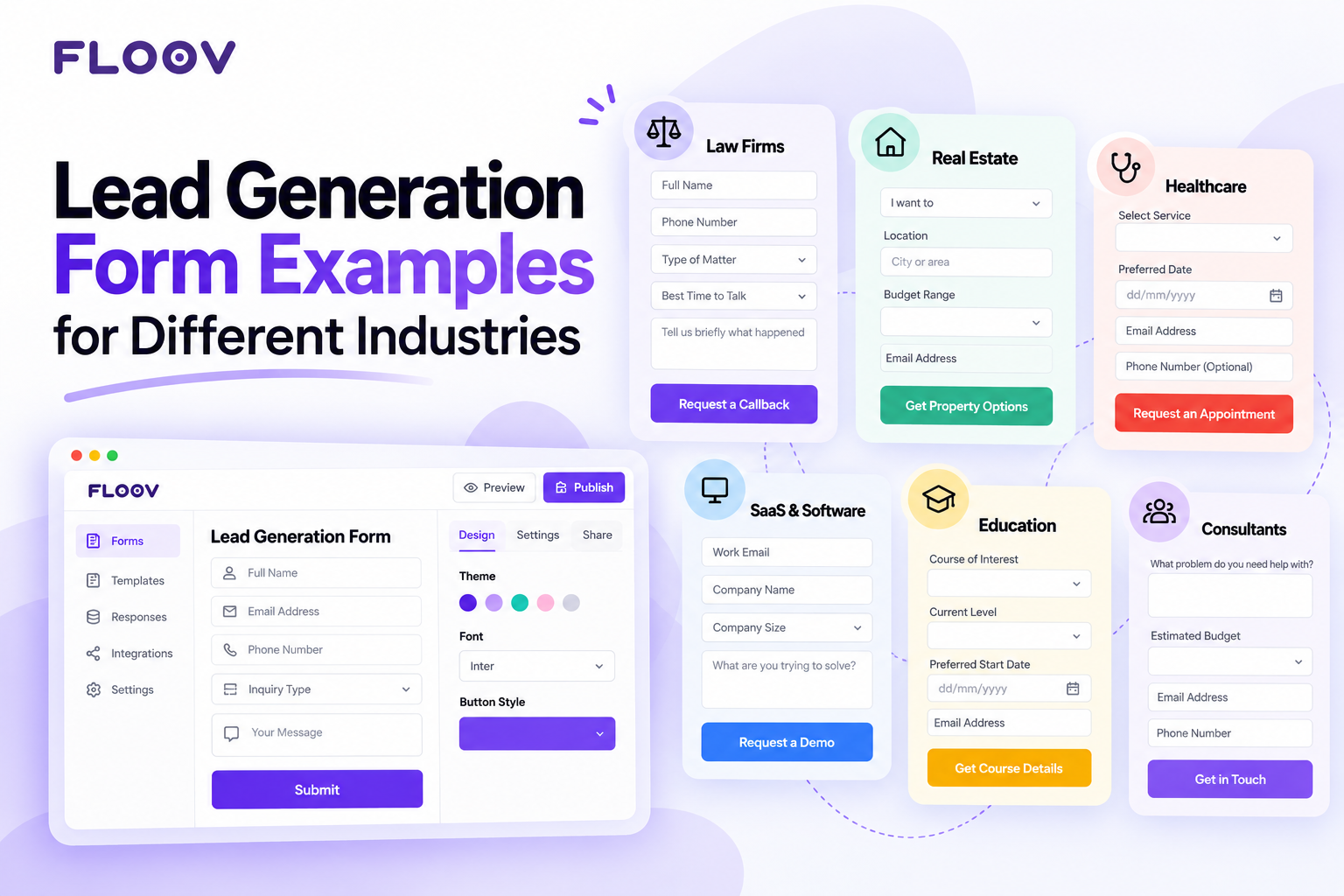
Think of the last site you left without doing anything. Your own visitors are no different. They arrive, click about, and vanish. Not even an email left behind. A form is your one shot at turning that click into a real conversation. So, no theory. What follows are suggested lead generation form examples from six industries. For each one: what it asks, what it skips, and why. Treat them as starting points to adapt and test, not guaranteed templates.
What Your Lead Capture Form Is Really Doing
Strip it down and a lead capture form is a trade. Their name and a way to reach them, swapped for something they want. A quote. A callback. A download.
The tricky bit is the exchange rate. Load it with questions and people give up halfway. Gut it, and the inbox fills with junk your team spends the week chasing. Good lead generation form design lives right in that awkward middle. Where exactly changes by industry.
Lead Generation Form Examples by Industry
Law Firms
Someone contacting a lawyer is rarely having a good day. Something has gone sideways. They are anxious, in a hurry, in no mood for a twelve-field questionnaire. So the form asks for four things. Nothing else. Plus one open box.
- Full name (required)
- Phone number or email (required, at least one)
- Type of matter (required, dropdown)
- Best time to talk (optional)
- Open box: “Tell us briefly what happened.” (optional)
Suggested button text: “Request a consultation”
Next step: Show a confirmation saying the firm will review the enquiry and get in touch. Do not imply that submitting the form creates a lawyer-client relationship or confirms representation.
Then the part firms get wrong: speed. A callback tomorrow reaches someone who has already rung the next firm on Google. We dug into that leak in Why Do Law Firms Lose Clients Before the First Call. Once they say yes, Floov’s Client Intake template can be a general starting point for the detailed history. It is not a ready-made legal intake form, so adapt it to your firm’s process. Keep the first form light.
Real Estate
The same form might greet a first-time buyer and a third-time seller. Those two need different questions, so separate them early. One dropdown, “I want to buy, sell or rent,” reshapes everything after it. Buyers get a budget and area. Sellers get the property address and how soon they are moving.
- Full name (required)
- Email or phone number (required)
- I want to buy, sell or rent (required, dropdown)
- Buyers: budget and area (optional)
- Sellers: property address and how soon they are moving (optional)
Suggested button text: “Request property options”
Next step: Confirm receipt and say an agent will follow up. Submitting the form does not confirm availability or a viewing.
One tweak worth stealing: let people skip the phone number. Many happily give an email today and a number next week, once they trust you a little. Still a lead.
Healthcare and Wellness
Clinics have the hardest version of this problem. Booking has to feel effortless while the patient hands private details to a stranger. Three asks, no more. Which service. Which day. How to reach them. Medical history belongs in a secure step later.
- Service (required)
- Preferred day (optional)
- Email or phone number (required)
Suggested button text: “Request an appointment”
Next step: Tell the visitor the request has arrived and that the clinic will contact them about availability. A preferred day is a preference, not a confirmed booking.
One plain line under the button, “We only use this to book your visit,” calms nerves better than a privacy paragraph.
SaaS and Software
Software buyers want to poke the product, not talk to sales. A demo form needs four things. Work email. Company name. Company size. One honest line about what is broken.
- Work email (required)
- Company name (optional)
- Company size (optional)
- One line on what is broken (optional)
Suggested button text: “Request a demo”
Next step: Confirm receipt and explain how the team will follow up.
The size field helps your team assign the lead to the right rep. It does not route leads automatically unless you have set up a separate workflow.
And the phone number? Consider cutting it from free trial forms. People who like to explore in peace may leave rather than hand it over.
Education and Training
A course form sees two kinds of people: those browsing, and those ready to enrol tomorrow. Three questions sort them: course of interest, current level, start date. The date matters most. Someone starting next month needs a call this week. Someone eyeing next year? An occasional email is plenty.
- Email address (required)
- Course of interest (required)
- Current level (optional)
- Start date (optional)
Suggested button text: “Get course details”
Next step: Confirm the enquiry and say when the visitor can expect course information or a call with an advisor.
Consultants and Agencies
A consultant’s form has a second job: bouncing bad fits. Ask what the problem is, roughly what the budget is, and who signs off. Their answers help you judge fit, though a skipped answer does not always mean a bad fit.
- Work email (required)
- What is the problem? (required)
- Roughly what is the budget? (optional)
- Who signs off? (optional)
Suggested button text: “Discuss your project”
Next step: Confirm receipt and say you will review the details and reply if the project looks like a fit.
So What Do Effective Lead Forms Get Right?
Study enough lead forms and the same few moves repeat. None are clever copies or pretty buttons.
First, restraint. Every field earns its place by changing what happens after submit. No use, no field.
Second, easy questions go first. Nobody thinks twice about name and email. Budget and timeline feel personal. Get the order right and people are halfway done before the personal questions arrive.
Third, labels sound human. “What do you need help with?” works. “Inquiry type” sounds like a tax form.
Last, they close the loop. “We reply within one business day” sets expectations and can stop double-submits.
Building Your Lead Form With Floov
You do not have to hand-build every field. Floov’s AI Form Builder takes a plain-words description and hands back a draft you can tweak. Prefer a blank start? The Free Online Form Builder works too: add the questions your team will use, skip the rest. And the Lead Qualification template gives you a working layout to adjust.
A few Floov features fit these examples. The Pro plan’s conditional logic swaps questions based on an answer, the same trick as the real estate dropdown. Once published, it embeds in your site with no code, and responses can flow into Google Sheets, Slack or a webhook. The Free plan needs no credit card, so a try costs nothing.
Final Thoughts
One form cannot fit everyone. A law firm, a clinic and a software company each calm a different kind of worry, and their forms should show that. Start with the shortest form your team can work with. Watch where people drop off. Tweak one field at a time. Register now to get your form today.
Frequently Asked Questions
Common questions about the topics covered in this article.
For most forms, three to five is a good starting point to test. Name, email, plus one question about what they need. Add a field only if its answer changes your next move. Assigning a lead counts. So does the budget.
Aim for under a minute to finish, and test it with your own audience. Cold traffic? Three to five fields. Someone requesting a quote already wants to talk; six to eight fields can work there.
A lead capture form exists to win a prospect, trading something of value for a few qualifying answers. A contact form is just a doorbell. Name, email, message. Done.