
All features
Preview Form
Service Quote Calculator
Open the preview to try different options and see the estimate update.
Create Forms with Calculations
Let clients choose services and see an estimated total as they answer. Calculate project hours or score inquiries using your own rules. Start with a free template and adapt the calculations to your agency or consultancy.
Calculations and these templates are free. Question visibility, conditional page routes and save and resume require Pro.
Preview Form
Service Quote Calculator
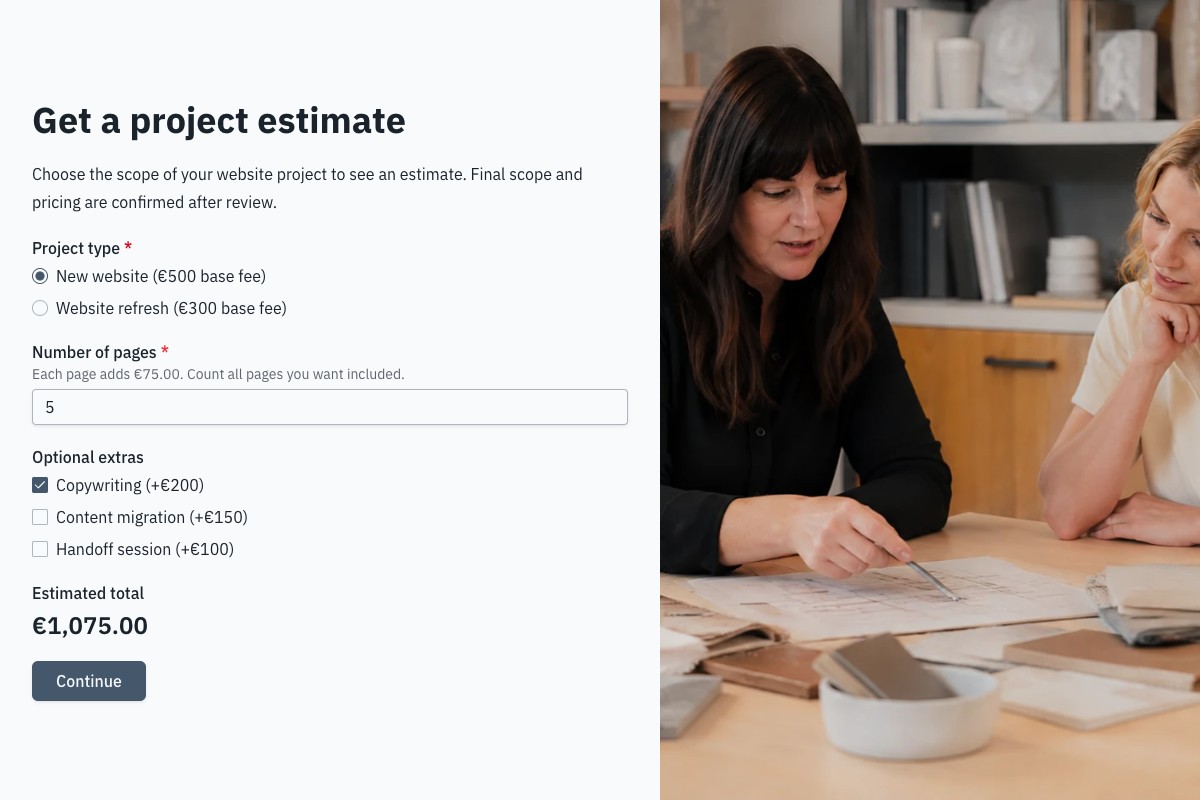
Try a website quote calculator
Choose a package, enter the page count and select extras. The template calculates the total from its sample prices.
Inputs and example rates
- Project type
- New website (€500 base fee)
- Number of pages
- 5
- Price per page
- €75
- Optional extras
- Copywriting (€200)
Result
- Estimated total
- €1,075
Base fee + pages × price per page + extras
€500 + (5 × €75) + €200 = €1,075
Sample prices give an estimate, not a binding quote. Review final scope and pricing with your client. The preview never submits a request; reloading clears its answers.
Try the calculatorCalculate, display and save results
Use your own rates and scoring criteria for each form.
Show results as answers change
Display a number or currency value on a page or ending. The respondent sees it update while completing the form.
Set your own rates and points
Combine numeric answers, fixed values and answer scores. Add conditions to calculation operations and check sample answers with Try values.
Keep the result with the request
Floov recalculates results on submission and saves them in Responses alongside the original answers.
Estimate project time as well as price
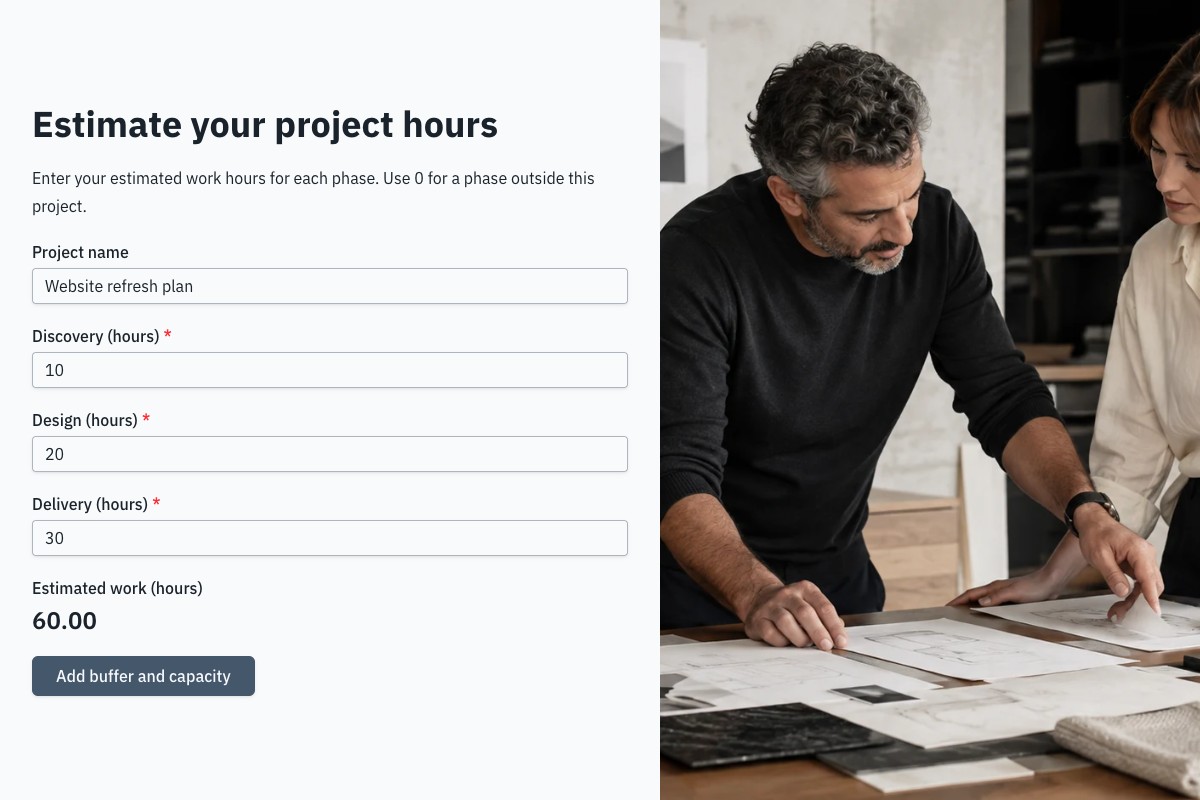
The Project Effort Estimator turns work hours and available capacity into estimated weeks. Try different inputs to check your plan.
- 60 work hours + a 20% buffer (12 extra hours) = 72 planned hours.
- 72 hours ÷ 24 project hours per week = 3 weeks.
- Weeks assume constant capacity. Dependencies and waiting time can extend the schedule.
 Preview Form
Project Effort Estimator
Preview Form
Project Effort Estimator
What’s free, and when you need Pro
A discount that changes the total is free. Showing questions or choosing the next page based on an answer requires Pro.
Included on Free
- Formulas, answer scores and conditional calculation operations.
- Live number or currency results on pages and endings.
- Calculated values saved with submitted responses.
Available with Pro
- Question visibility and page or ending routes based on answers or calculated results.
- Save and resume in the same browser.
Clearing site data removes saved progress. Uploaded files and signatures must be provided again after a reload.
Make the calculator yours
-
Copy the template
Add the template to your workspace. It includes the questions, calculations and result displays.
-
Adapt and check the rules
Change rates, choices and calculations to match your services. Check sample answers under Calculations in Settings.
-
Test and publish
Preview on a phone, publish and submit a test response. Check the saved results before sharing the form.
Start with a working calculation
Copy a free example and adapt its assumptions.
Estimate website projects from package fees, pages and optional extras.
Turn phase hours, a buffer and weekly capacity into a planning estimate.
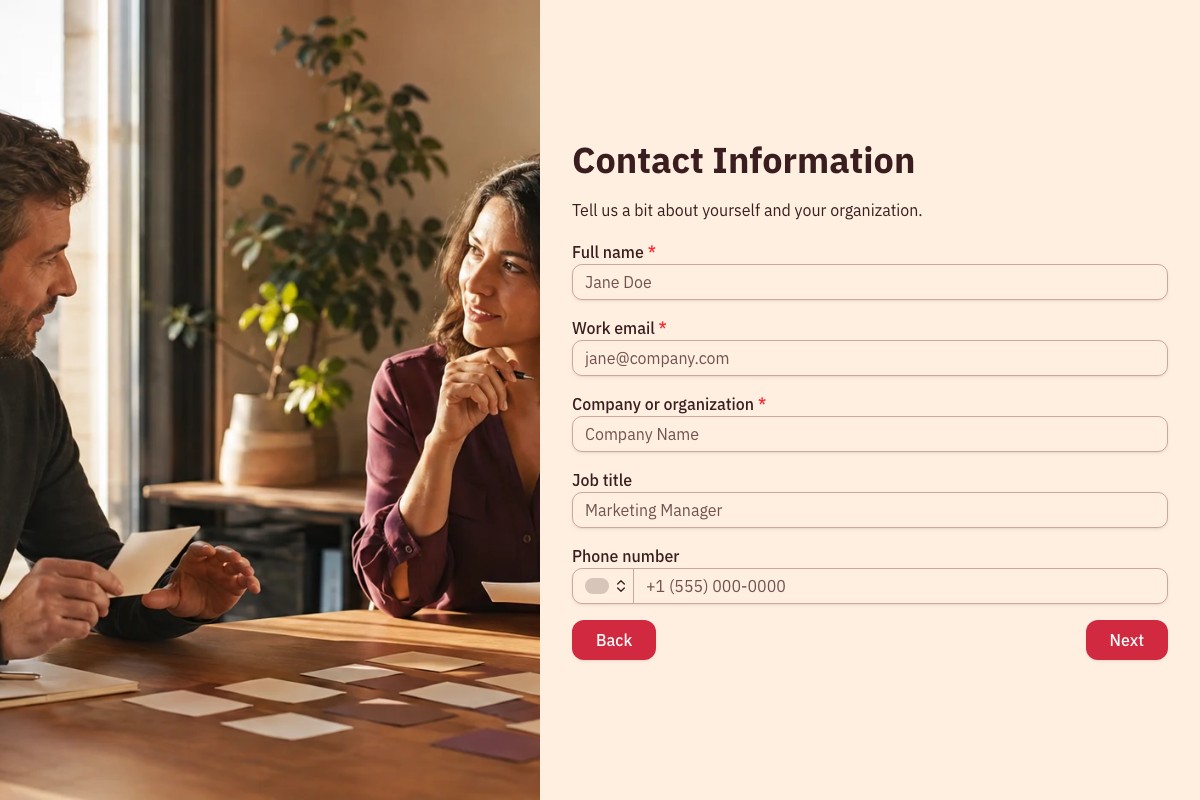
Review inquiries with scoring rules you can adapt.
Frequently Asked Questions
Answers about formulas, saved results and plan requirements.
Yes. Formulas, answer scores, conditional calculation operations and calculated result displays are available on Free.
Yes. A calculated value block updates as answers change. You can also insert results into form text.
Yes. Copy the template and edit its fixed values, answer points and operations under Calculations in Settings.
Published submissions save the recalculated results in Responses. Previews let you try the form without collecting a response.
Conditional operations are free. Pro is required to use answers or results to show questions or route between pages and endings.
The templates provide estimates for review. Set your own rates and assumptions, then agree the final price and schedule with your client.
Loading template preview…
The Preview Is Taking Longer Than Expected
Open the full preview in a new tab, or continue to the template details and field list.